
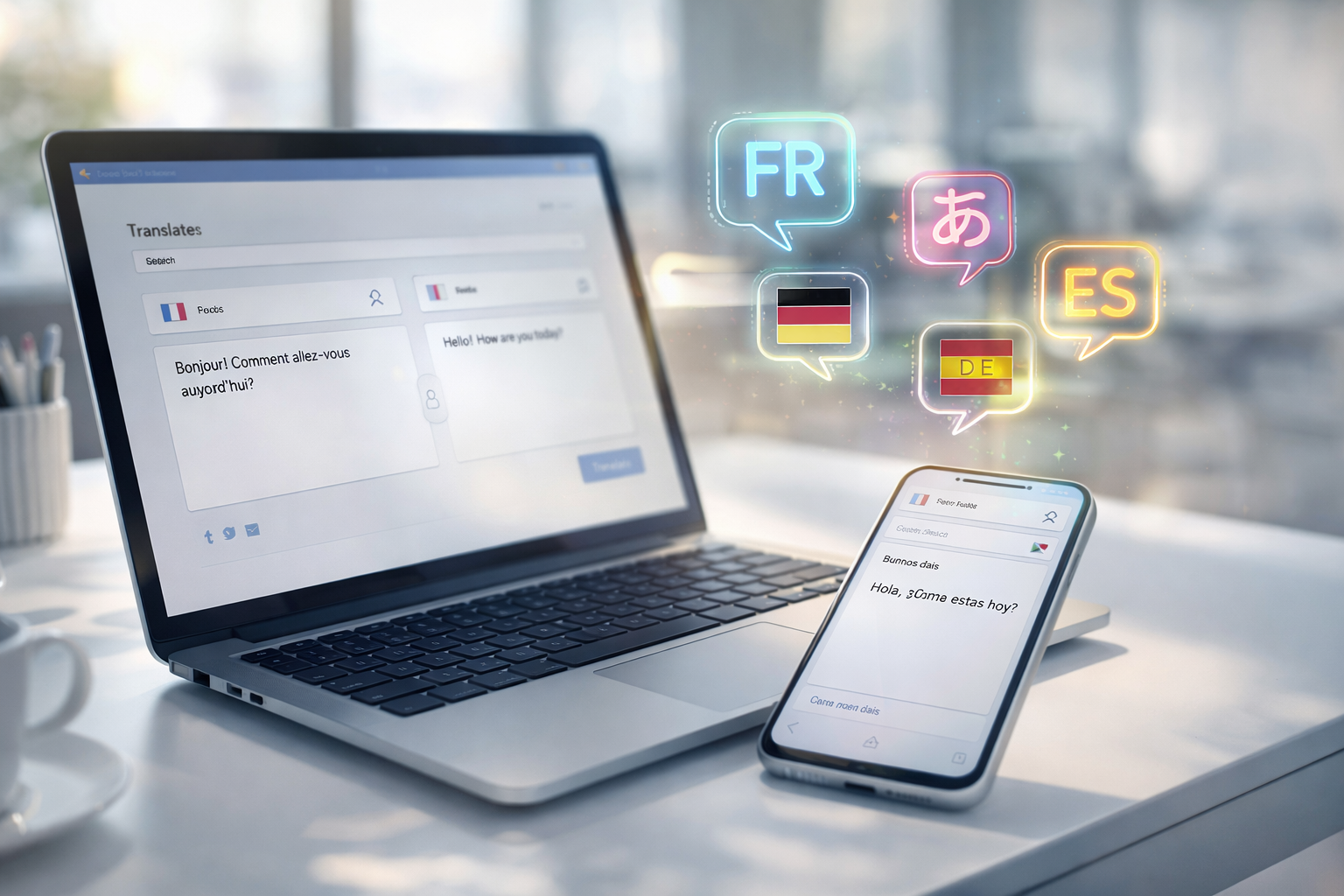
Picture this: you’re scrolling through a fascinating article written in French. It looks incredible, but you don’t speak French fluently. Or maybe you’re collaborating with a team spread across Germany, Japan, and Brazil, and you need everyone on the same page literally. These are the moments when you realize how much language barriers actually hold us back.
For years, Google Translate was our go-to solution. But let’s be honest, it was clunky. The results were often awkward, sometimes hilariously wrong, and definitely didn’t read like something a native speaker would write. Then DeepL Translate came along and changed the game entirely.
If you haven’t heard of DeepL Translate yet, you’re missing out on what many language professionals now consider the best translation tool available. In this article, I’m going to show you exactly what makes DeepL translate differently, how to actually use it effectively, and why you might want to make the switch if you’re still relying on older translation tools. Whether you’re a business professional, content creator, student, or just someone who travels a lot, DeepL Translate has something valuable to offer you.
What Is DeepL Translate? The Revolution You Might Have Missed
Let me start by explaining what DeepL Translate actually is, because understanding the “why” makes everything else click into place.
DeepL Translate is an artificial intelligence-powered translation service that converts text from one language to another. The company behind it is DeepL, a German company founded in 2017 that specializes in machine learning and neural networks. While that might sound like tech jargon, what it really means is that DeepL built this tool specifically to get translation right, not as an afterthought to some bigger product suite.
The difference matters. Google Translate is powerful, sure, but it’s one feature among thousands in Google’s ecosystem. DeepL’s sole focus is making translations so good that they read like a human wrote them. This specialization shows in the results. When you use DeepL Translate, you’re getting technology that was designed with one mission: eliminate language barriers without sacrificing quality or natural-sounding language.
The tool uses something called neural machine translation. Basically, it trains itself on massive amounts of text to understand not just words, but context, tone, and the way language actually works. A word might have five different meanings depending on context. DeepL teaches itself to pick the right one. That’s why it feels less robotic than older translation tools.
DeepL Translate vs. Google Translate: Why People Are Making the Switch
I hear this question constantly: “Why should I switch from Google Translate to DeepL Translate?” It’s a fair question. Google Translate is free, it’s everywhere, and most people know how to use it. So what’s the catch?
The honest answer is that DeepL Translate simply produces better results. In countless side-by-side comparisons, translators and linguists consistently choose DeepL’s output. The translations are more natural. They capture nuance better. They sound like something a human would actually write, not like a computer processed the text.
Here’s a concrete example. If you translate the German phrase “Das ist nicht mein Bier” with Google Translate, you might get “That is not my beer,” which is technically correct but completely misses the meaning. The phrase is actually an idiomatic expression meaning “That’s not my problem” or “That’s not my concern.” DeepL Translate understands this context and delivers the right translation.
This happens over and over with DeepL Translate. It understands idioms, colloquialisms, and cultural references that Google Translate misses. It recognizes tone. If you’re translating something funny, it tries to keep it funny. If something is formal, it stays formal.
The other advantage? Speed. DeepL Translate often delivers results faster than Google Translate. The interface is cleaner, too. There’s less clutter, fewer ads, and a straightforward experience that focuses entirely on translation.
Is Google Translate still useful? Absolutely. For quick, rough translations when you just need the general idea, it’s fine. But if you need something that actually reads well, DeepL Translate is the clear winner.
How to Use DeepL Translate: Step-by-Step for Beginners
Using DeepL Translate is genuinely simple, even if you’ve never used it before. Let me walk you through it.
Step 1: Go to the Website
Head to deepl.com. That’s it. You don’t need to download anything or create an account to get started. The free version works instantly in your browser.
Step 2: Choose Your Languages
At the top of the page, you’ll see two language selection dropdowns. The left side is “From” (the language you’re translating from), and the right side is “To” (the language you want to translate to). Click on each and select your languages. DeepL Translate supports 32 languages, which is pretty comprehensive.
Step 3: Paste or Type Your Text
In the large text box on the left, paste the text you want translated or type it directly. You can paste as much as you want. The free version lets you translate up to 50,000 characters per month, which is roughly 10,000 words. That’s actually quite generous.
Step 4: Get Your Translation
This is where the magic happens. As you type or paste, DeepL translates instantly and shows you the translation on the right side. You don’t need to hit a button or wait for processing. It’s real-time.
Step 5: Copy and Use
Once you have your translation, just copy it. There’s a copy button right there. You can paste it into emails, documents, websites, wherever you need it.
That’s genuinely all there is to it. DeepL’s simplicity is actually one of its biggest strengths. There’s no learning curve, no confusing menus, no unnecessary features getting in your way.
Advanced Features That Actually Make a Difference
If the basic process is so simple, what else does DeepL translate offer? Actually quite a bit, and these features are what really set it apart for professional users.
Formality Settings
Here’s something Google Translate doesn’t have: the ability to control tone and formality. With DeepL Translate, you can adjust whether your translation should be formal or informal. Translating a business email? Set it to formal. Working on casual content for social media? Switch to informal. This small feature saves hours of manual editing.
The Chrome Extension
DeepL Translate has a Chrome extension that lets you translate any text on any website without leaving the page. Hover over text, click translate, and you get the translation in a pop-up. For people who constantly browse international content, this is incredibly convenient.
Document Translation
Want to translate an entire document? DeepL Translate lets you upload Word documents, PDFs, and PowerPoint files. The tool translates everything while preserving the original formatting. You get back a fully formatted document in your target language. This is huge for business professionals who deal with documents across multiple languages.
The DeepL App
There are desktop and mobile apps for DeepL Translate. They work just like the website but feel even more integrated into your workflow. If you translate frequently, the app might feel more natural than constantly going to the browser.
Real-World Scenarios Where DeepL Translate Changes Everything
Understanding features is one thing. Seeing how DeepL translates actually helps in real situations is another.
For Content Creators and Marketers
Imagine you’re a content creator trying to reach an international audience. You write amazing content in English, but you want Spanish speakers, German speakers, and French speakers to read it too. Machine translation used to mean your content would sound awkward in other languages, turning people away. With DeepL Translate, your translated content reads naturally. This means more engagement, more followers, and more customers from around the world.
For Students and Researchers
Maybe you’re writing a thesis and found crucial research papers in Italian, Spanish, or Russian. Reading the originals would take forever. With DeepL Translate, you can get quality translations instantly. The translations are accurate enough that you can cite findings with confidence. Study time drops dramatically.
For Business and Global Teams
If you work with an international team, DeepL Translate becomes essential. Emails, reports, Slack messages, everything can be instantly translated. Someone in Tokyo can understand what someone in Toronto is saying without delay. This removes bottlenecks that used to require hiring dedicated translators.
For Travelers and Language Learners
Planning a trip to Japan? DeepL Translate helps you navigate menus, read signs, and communicate with locals. Language learners use it to check their own translations and understand native-level content. It becomes like having a translator in your pocket.
The Limitations You Should Actually Know About
I want to be honest here: DeepL Translate is incredible, but it’s not perfect. Understanding its limitations helps you use it better.
Domain-Specific Language Can Be Tricky
If you’re translating highly technical content, such as medical papers, legal documents, or specialized scientific research, DeepL Translate might struggle. It’s trained on general text, so it doesn’t always understand super-specialized terminology. For these situations, you might need a professional translator who specializes in that field.
Proper Nouns and Names
Sometimes, DeepL Translate gets confused by proper nouns and names. It might capitalize them oddly or translate them when it shouldn’t. You usually need to do a quick manual check on names and place references.
Very Short Phrases Are Tricky
Ironically, translating just one or two words can be harder than translating full sentences. Context helps the AI figure out what something means. A single word in isolation might have multiple meanings, and DeepL Translate might pick the wrong one. Full sentences almost always work better.
Some Language Pairs Are Better Than Others
DeepL Translate does best with European languages: English, German, French, Spanish, and Italian. If you’re translating to or from less common languages, or to languages with very different structures (like Japanese or Chinese from English), it’s still good, but not quite as polished.
It Doesn’t Know About Your Specific Brand Voice
If you need translations that match your specific brand voice or use certain terminology your company prefers, DeepL Translate can’t read your mind. You’ll need to do some customization and editing afterward.
These aren’t deal-breakers, though. They’re just things to be aware of so you use the tool appropriately.
DeepL Translate Pricing: Free vs. Pro
Let’s talk money, because for most people, this matters.
The free version of DeepL Translate is genuinely useful. You get 50,000 characters per month, which is roughly 10,000 words. You can access all core features. The website and mobile apps work. You can use the Chrome extension. The only real limitation is the character cap.
For casual users, someone who translates occasionally, the free version is probably fine. If you hit the limit, you just wait for next month.
DeepL Pro starts at about $12 per month. You get 3 million characters per month, access to the API for developers, and priority support. If you translate regularly, Pro probably pays for itself quickly by saving you time and frustration.
For businesses and teams, DeepL offers enterprise plans with custom features and dedicated support. These are pricier but include things like custom glossaries, team management, and integration with your existing tools.
My take? If you’re using DeepL Translate more than once a week, Pro is worth it. The time savings alone justify the cost. If you translate occasionally, stick with free and just be mindful of your monthly character limit.
Tips to Get the Best Results From DeepL Translate
Using DeepL Translate is simple, but getting the absolute best results requires a few tricks.
Provide Context
Instead of translating single sentences, give DeepL Translate a paragraph or two. More context helps the AI make better decisions about word choice and tone.
Use the Formality Setting
Always set the formality level appropriate to your content. This small step eliminates tons of manual editing afterward.
Check Proper Nouns
Before you finalize any translation, scan for names, companies, and places. Make sure they’re translated (or not translated) the way you want.
Review the Whole Thing
Even though DeepL Translate is really good, always read through the entire translation. Sometimes it misses subtle context that only a human would catch. This is especially true if the content is important (like business communication or academic work).
Use the Document Feature for Long Content
If you’re translating anything longer than a few paragraphs, use the document upload feature instead of copy-pasting. It handles formatting better and maintains structure more reliably.
Try Different Settings if Something Seems Off
If a translation doesn’t feel quite right, try adjusting the formality level or selecting a slightly different target language variant (like British English vs. American English). Sometimes tweaking these settings fixes things.
DeepL Translate for Businesses: Why Companies Are Switching
More and more businesses are integrating DeepL Translate into their operations. Why? Because it actually makes financial sense.
Hiring professional translators isexpensivev,e sometimes several hundred dollars per thousand words. DeepL Translate costs almost nothing. For internal communications, draft translations, and content that doesn’t need absolute perfection, it’s a no-brainer financially.
Plus, it’s fast. A translator might need days to translate a document. DeepL Translate delivers results in seconds. For time-sensitive business situations, this speed is invaluable.
Companies are also using DeepL Translate to expand globally faster. They can localize products and content for new markets without waiting for translation departments to grow. This means faster international expansion.
That said, most businesses that take translation seriously still use DeepL Translate as a first step, then have humans review and refine the results. It’s not a replacement for professional translators in all cases, but it’s become an essential tool in most translation workflows.

Common Questions About DeepL Translate
Q: Is DeepL Translate secure? Can I translate confidential documents? A: DeepL has strong privacy protections. Free users’ translations aren’t stored. Pro users get additional privacy controls. For highly confidential information, some companies use the enterprise version with additional security features. Generally, it’s safe for most business use.
Q: Does DeepL translate work offline? A: The web version requires the internet. The mobile app works mostly online but has some offline capabilities with the Pro version. For most users, this isn’t a problem since we’re always connected anyway.
Q: Can I translate entire websites with DeepL Translate? A: Not directly. The Chrome extension helps you read foreign websites, but you can’t translate a whole site at once. For website localization, you’d need different tools or professional services.
Q: How accurate is DeepL Translate compared to human translators? A: For general content, DeepL Translate is often 90%+ accurate. For nuanced content, professional translators still have an edge. It’s best to think of DeepL as a tool that handles the heavy lifting, with humans refining when needed.
Q: What languages does DeepL translate? A: Currently 32 languages, including all major European languages, plus Chinese, Japanese, Korean, and Arabic. The list keeps growing.
Q: Can I use DeepL translations commercially? A: Yes, you can use the translations for commercial purposes. There are no restrictions on using translated content in your business.
Q: Is there a word limit per translation? A: No hard limit for the website (though very long texts might take a moment). The free version has a monthly character limit. Pro plans have much higher monthly limits.
Q: Does DeepL translate handle slang and informal language? A: Yes, surprisingly well. It recognizes colloquial expressions and can translate them appropriately, especially when you set the formality to informal.
The Future of DeepL Translate and AI Translation
Here’s something worth thinking about: translation technology is evolving rapidly. DeepL Translate is already better than it was two years ago, and it’ll be even better in two years from now.
The company is constantly adding languages and improving accuracy. They’re working on real-time conversation translation. Imagine speaking into your phone and having it translated instantly so you can talk with someone who speaks a completely different language. That’s coming.
Artificial intelligence is getting smarter at understanding context, idiom, and cultural nuance. This means future versions of DeepL Translate will require even less human editing. For businesses, especially, this trend is exciting because it removes bottlenecks in global operations.
That said, I don’t think AI will completely replace professional translators. For creative work, literary translation, and situations where precision and cultural understanding are paramount, human expertise will always matter. But for the vast majority of everyday translation needs? DeepL Translate is becoming the default tool.
Getting Started With DeepL Translate Today
If you’ve read this far and think DeepL Translate might help you, starting is genuinely easy.
Go to deepl.com. Try translating something you’ve been curious about. If you like the results, bookmark it or download the app. If you use it regularly, consider upgrading to Pro to remove the character limits. That’s it.
The learning curve is essentially zero. The results speak for themselves. And honestly, once you experience a quality translation from DeepL Translate, you’ll probably find it hard to go back to the frustration of clunky, robotic translations.
Language barriers have held back human connection and business for centuries. DeepL Translate is genuinely helping remove those barriers. Whether you’re reaching global audiences, collaborating with international teams, or just trying to understand content in other languages, it’s a tool worth having in your kit.
What languages do you wish you understood better? What’s been holding you back from connecting globally? DeepL Translate might be the answer you’ve been looking for.
Key Takeaways
- DeepL Translate is an AI-powered translation tool that produces significantly more natural-sounding, human-like results than Google Translate or older translation services.
- The tool works instantly and supports 32 languages with the ability to adjust formality levels, making translations feel appropriate for the context.
- The free version offers 50,000 characters per month, which is generous for casual users, while Pro plans remove this limit for power users.
- DeepL Translate is particularly strong with European languages and general content, though it may struggle with highly technical, domain-specific information.
- Document translation features, Chrome extensions, and apps make DeepL Translate practical for various real-world scenarios, from content creators to global teams to students.
- While professional translators still have a role in certain situations, DeepL Translate is increasingly becoming the go-to tool for businesses and individuals seeking fast, accurate translations.
